 Exasol Toolbox
Ignoring Sonar Findings#
In rare cases, Sonar might report a finding that you cannot fix immediately or that reviewers agree to accept. Please only choose this approach as a last resort.
Remember that Sonar often displays findings originating from another tool. That
means a single issue can have both a Sonar identifier and a tool-specific
identifier. For example, security findings reported by bandit can usually
be referred to by their Bandit rule code as well.
Example#
For subprocess.run(args), Sonar could for example report subprocess
call - check for execution of untrusted input. In the Sonar UI, when clicking
on “Why is this an issue?”, you will find references like
B603: Test for use of subprocess with shell equals true external_bandit:B603
See description of Bandit rule B603 at the Bandit website.
In this case, the Bandit error code is B603. When possible, prefer handling
the finding at the source-tool level so that the reason is documented in code.
Ignoring a Finding Via a Source Code Comment#
If the originating tool supports it, the recommended way of ignoring a finding is to add an explicit source code comment on the affected line:
subprocess.run(args) # nosec: B603 - risk of untrusted input is accepted
The keyword nosec is defined by Bandit in this case.
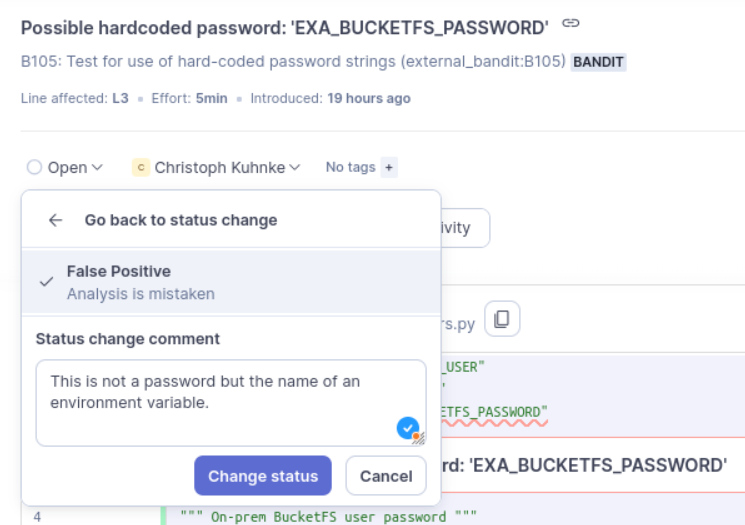
Alternatively, you could also accept a finding in the Sonar UI: